Battery Backup
Installing and using the FizzWizz battery backup to keep the unit running through brownouts and short power cuts.
The FizzWizz battery backup keeps the FizzWizz powered during brownouts and short-term power cuts. On a full charge it runs the FizzWizz for approximately 1 hour. Actual runtime depends on the operating mode the FizzWizz is in at the time.
How it works
The battery backup sits between the FizzWizz power supply and the FizzWizz:
- The FizzWizz power supply plugs into the power supply connection on the battery pack.
- The battery pack's 5 ft output cable plugs into the FizzWizz power input.
While mains power is available, the power supply runs the FizzWizz and trickle charges the battery. A full charge from empty takes approximately 12 hours.
The battery pack has three connection points and indicators:
| Part | Purpose |
|---|---|
| Power supply connection | Input from the FizzWizz power supply |
| LED charge level indicator | Shows the battery charge level (only while the power supply is connected) |
| Power to FizzWizz | 5 ft output cable to the FizzWizz |
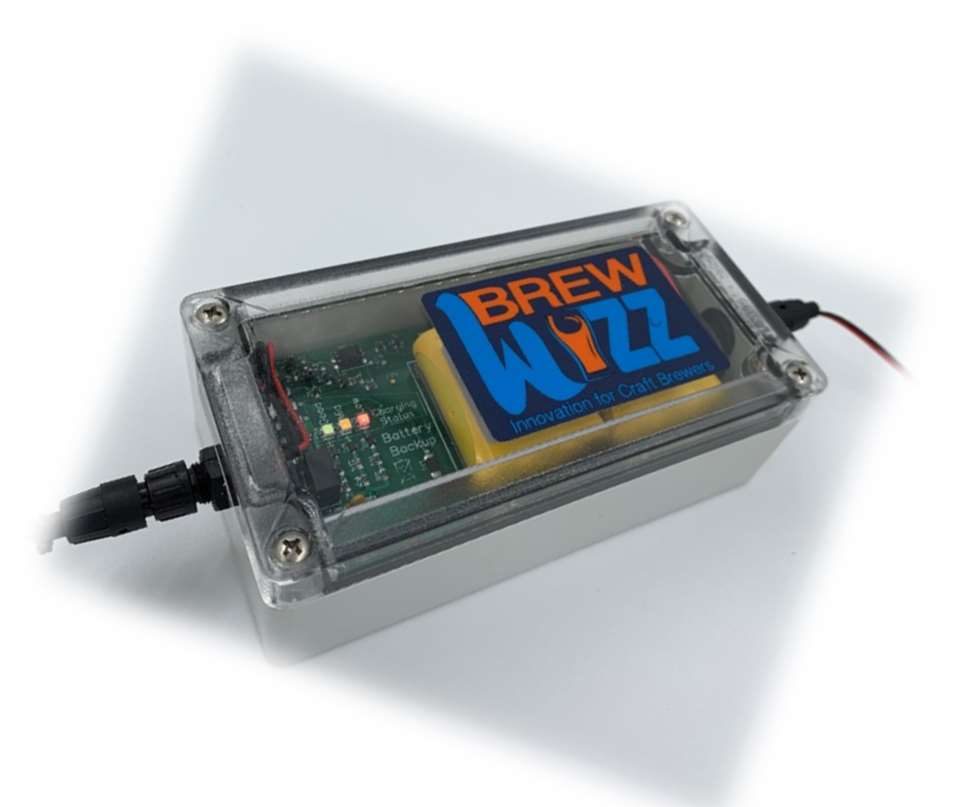
Power supply connection on the left, LED charge level indicator beside the BrewWizz label, and the output cable to the FizzWizz on the right.
Installation
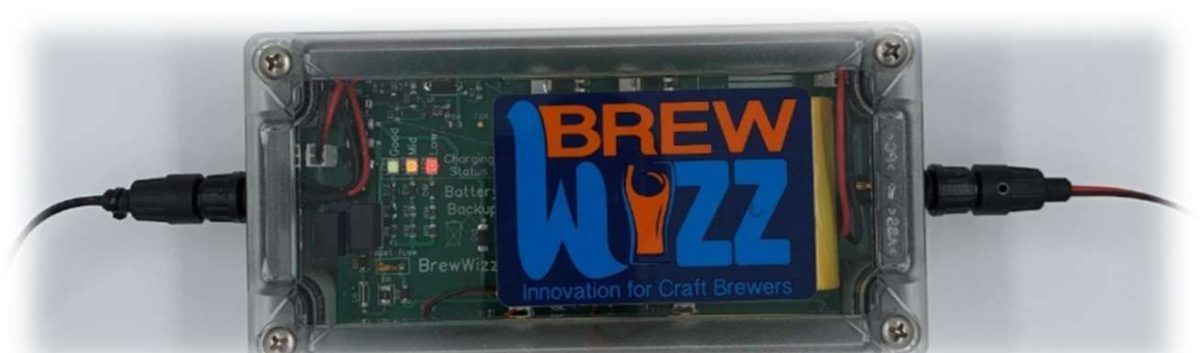
The battery backup enclosure. The four mounting holes are under the clear lid.
Choose a location
Mount the battery backup on a wall close to the FizzWizz. The output cable is 5 ft long, so the battery pack must be within reach of the FizzWizz power input.
Remove the lid
The four mounting holes are under the lid. Remove the lid screws and lift the lid off to access them.
Mount the enclosure
Fasten the enclosure to the wall through the four mounting holes, then refit the lid.
Connect the power supply
Plug the FizzWizz power supply into the power supply connection on the battery pack.
Connect the FizzWizz
Plug the battery pack's output cable into the FizzWizz power input.
Let the battery charge
Check that the LED charge level indicator lights up. Allow approximately 12 hours for the battery to reach full charge before relying on it for backup.
Limitations of use
- Do not submerge. The unit is splash proof, not waterproof.
- The battery backup must only be serviced by a trained technician.
Warranty
The battery backup carries a 12-month back-to-base warranty from the date of purchase. See Support & Parts for contact details.